Make Your Android Look Like a Classic Nokia 1280 Phone

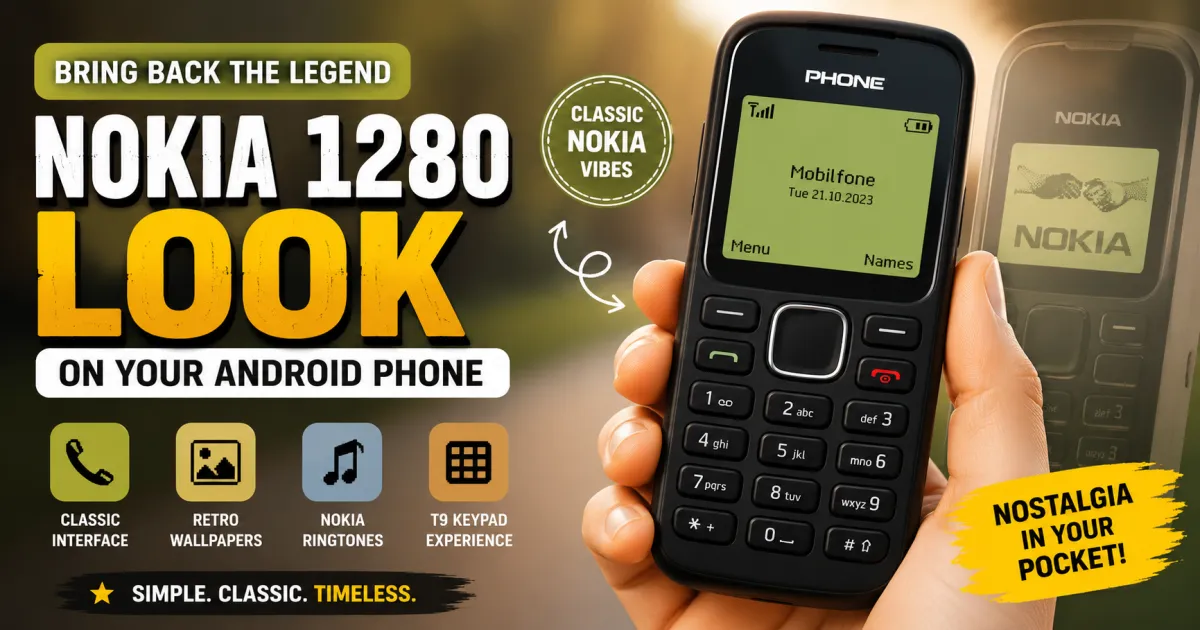
Modern Android phones are packed with features, colorful displays, and endless customization options, but sometimes simpler feels better. If you remember the classic Nokia 1280 era, you may miss its simple interface, familiar keypad-style design, old-school icons, and nostalgic look. Fortunately, you can recreate much of that retro experience on an Android smartphone without replacing your current phone. A Nokia-style launcher can transform your home screen with classic themes, wallpapers, icons, and keypad-inspired navigation while keeping Android underneath.
If you want to give your smartphone a vintage makeover, a Nokia 1280-style launcher is an easy place to start.
Why Bring the Nokia 1280 Look to Android?
The Nokia 1280 represents a very different era of mobile phones. Instead of large touchscreens and hundreds of apps, feature phones focused on simple menus, physical keypads, contacts, calls, and messages.
That simplicity is exactly what makes the style appealing today.
A Nokia-inspired Android launcher does not turn your smartphone into a real Nokia 1280. Instead, it changes the visual interface and navigation experience to recreate the classic appearance.
The current Google Play listing for Nokia 1280 Launcher describes features such as retro Nokia-style themes, classic wallpapers, call icons, ringtones, and a vintage interface. The listing also clearly states that the app is a fan-made application and is not officially affiliated with Nokia Corporation.
What Does a Nokia 1280 Launcher Change?
A launcher primarily changes the way your Android home screen looks and behaves. Your underlying Android operating system, installed apps, files, and hardware remain unchanged.
Classic Nokia-Style Home Screen
The biggest change is the home screen. Instead of the modern grid of colorful app icons, the launcher aims to recreate the simple visual style associated with older Nokia phones.
This can make your smartphone feel completely different within a few minutes.
Retro Icons and Wallpapers
Visual details make the nostalgic effect more convincing. Classic-style icons, wallpapers, colors, and phone elements can give your Android device a distinctly old-school appearance.
The Nokia 1280 Launcher listing also mentions options for personalizing wallpapers, icons, ringtones, and phone colors.
T9-Style Keypad Experience
Some Nokia-inspired launchers go beyond appearance by adding a keypad-style interface. The listed app includes a T9-style keypad and Nokia-inspired navigation designed to resemble the experience of a classic feature phone.
This can be particularly fun if you used keypad phones before smartphones became mainstream.
How to Get the Nokia 1280 Look on Android
Setting up a classic Nokia-style interface is generally straightforward.
1. Install a Nokia 1280 Launcher
Start by downloading a launcher from Google Play rather than relying on an unknown APK website.
One option is Nokia 1280 Launcher for Android, which is designed to recreate the vintage Nokia-style appearance on Android.
Before installing any third-party launcher, review its current Play Store information, permissions, reviews, and data-safety section. App details can change as developers release updates.
2. Open the Launcher
After installation, open the application and follow its setup instructions.
Depending on your Android phone, the launcher may ask for permission or request that you choose it as your default Home app.
Android allows users to customize their Home screen, although the exact settings can vary between manufacturers and Android versions.
3. Set It as Your Default Home App
If you want the Nokia-style interface to appear whenever you press the Home button, you may need to set the launcher as your default Home app.
The exact menu differs between devices. Look under your phone’s Settings > Apps > Default apps or search Settings for Home app or Default launcher.
If you only want to test the nostalgic design, you can try the launcher first without permanently committing to it.
4. Customize the Retro Appearance
Once the launcher is active, explore its available themes and personalization options.
You may be able to adjust elements such as:
- Nokia-style wallpapers
- Classic icons
- Phone colors
- Ringtones
- Keypad appearance
- Home-screen layout
- Retro navigation elements
The goal is not necessarily to copy every detail. You can choose the elements that remind you most of your old phone while keeping the useful features of a modern Android device.
Can You Still Use Your Normal Android Apps?
Yes. A launcher mainly changes the interface through which you access your apps. Your existing Android applications remain installed on the phone.
You can still use messaging apps, browsers, social media, cameras, banking apps, games, and other services. The difference is that you may access them through a more traditional-looking home screen.
Google’s Android documentation explains that users can organize apps, shortcuts, widgets, and home screens according to their preferences.
This makes a retro launcher a good option for people who want nostalgia without giving up the capabilities of a modern smartphone.
How to Make the Retro Look More Convincing
Installing a launcher is only the first step. A few additional adjustments can make the experience feel much closer to an old feature phone.
Choose a Simple Wallpaper
Avoid modern high-resolution wallpapers with busy graphics. A simple dark or classic-looking background usually fits the retro design better.
Use Matching Sounds
If the launcher provides classic-style ringtones or notification sounds, try using them together with the visual theme. Sound can make the nostalgic effect surprisingly convincing.
Keep the Home Screen Simple
One of the defining characteristics of old feature phones was simplicity. Avoid filling your home screen with dozens of widgets and shortcuts.
Keep only the apps you use most frequently. This creates a cleaner interface and makes the phone feel more like a traditional keypad device.
Try the Keypad Navigation
If the launcher supports a T9-style keypad or classic navigation, spend some time exploring it. The experience may feel unusual at first because modern Android phones are designed primarily around touch gestures.
That difference is also part of the nostalgia.
Is a Nokia 1280 Launcher the Same as the Original Phone?
No. A launcher can recreate the visual style and some interaction patterns, but it cannot reproduce the original hardware or operating system.
A real Nokia 1280 had physical keys, a small feature-phone display, dedicated hardware controls, and a completely different mobile platform.
A Nokia-style Android launcher is better understood as a nostalgic theme and interface. You still have a modern Android smartphone underneath the retro design.
It is also important to remember that the app mentioned above is not an official Nokia product. The Google Play listing specifically identifies it as a fan application with no official connection to Nokia Corporation.
Is It Easy to Return to Your Normal Android Interface?
Yes. If you do not like the retro interface, you can switch back to your phone’s original launcher.
The exact steps vary by manufacturer, but Android provides settings for changing and customizing the Home screen.
This makes experimenting with a Nokia-inspired launcher relatively low-risk from a customization perspective. You can try the classic look and return to your normal interface whenever you want.
Frequently Asked Questions
Can I make my Android phone look like a Nokia 1280?
Yes. A Nokia-style launcher can recreate the classic Nokia-inspired home screen, icons, wallpapers, keypad design, and other visual elements on an Android phone.
Is the Nokia 1280 Launcher an official Nokia app?
No. The Google Play listing states that the launcher is a fan application and is not officially affiliated with Nokia Corporation.
Will a Nokia launcher delete my existing Android apps?
No. A launcher primarily changes your home-screen interface. Your existing applications and files remain on the phone unless you manually uninstall or delete them.
Can I switch back to my original launcher?
Yes. You can change your default Home app and return to the launcher supplied by your phone manufacturer. The exact settings can vary by Android device.
Can I use modern apps with a Nokia-style launcher?
Yes. Your regular Android apps can continue to work because the launcher changes the interface rather than replacing the Android operating system.
Is a Nokia 1280 launcher available for modern Android phones?
Yes. The Nokia 1280 Launcher listed on Google Play is designed to bring a classic Nokia-style interface to Android devices and includes retro themes and personalization options.
Conclusion
You do not need to buy an old feature phone to enjoy the nostalgic Nokia experience. A Nokia 1280-style Android launcher can give your modern smartphone a classic home screen, retro icons, familiar keypad-inspired elements, and vintage wallpapers while allowing you to keep using your regular Android apps.
If you want to try the look, explore the Nokia 1280 Launcher on Google Play and customize the interface to match the style you remember.
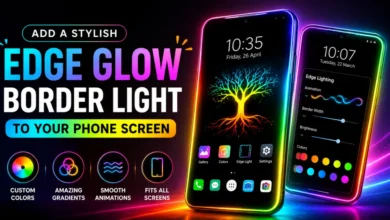
For another Android customization idea, you can also read this guide to adding a stylish edge glow border light to your phone screen.