
How to Remove Gemini AI Watermark from Images Using Free Online Tools

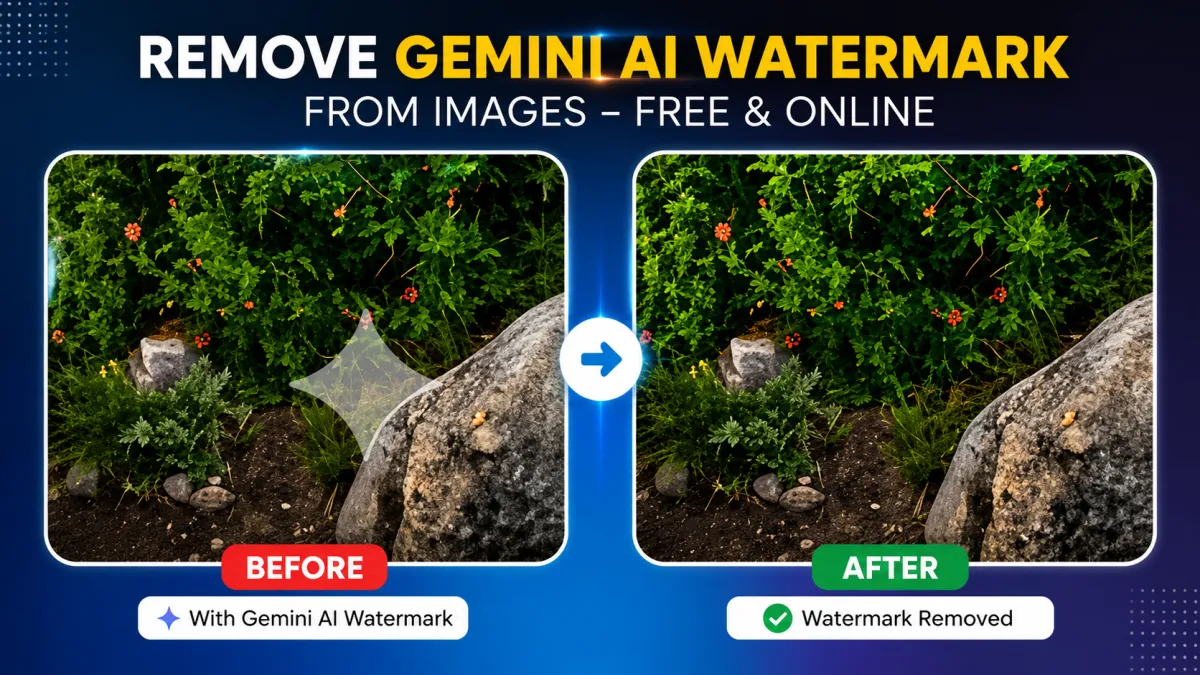
AI-generated images are becoming more popular for social media, blogs, presentations, thumbnails, and creative projects. However, many users struggle with visible Gemini AI watermarks that can make images look unprofessional or difficult to reuse.
The good news is that you no longer need Photoshop or advanced editing skills to clean your images. With modern AI-powered online tools, you can quickly remove Gemini AI watermarks directly from your browser for free. In this guide, you’ll learn how watermark removal works, the best way to clean images without losing quality, and important tips to achieve natural-looking results.
Why Gemini AI Images Sometimes Include Watermarks
Gemini AI-generated images may contain watermarks, overlays, or visible AI marks depending on the export method or platform used. These marks are often added for attribution, branding, or AI content identification.
For many users, these watermarks become a problem when creating:
- YouTube thumbnails
- Website banners
- Social media posts
- Client presentations
- Marketing creatives
- Blog featured images
A visible watermark can distract viewers and reduce the overall visual quality of the content.
The Easiest Way to Remove Gemini AI Watermarks
The fastest method is using an online AI-based watermark remover that automatically detects and cleans unwanted marks from images.
You can use the Gemini watermark remover tool to erase watermarks without downloading software or manually editing images.
Unlike traditional editors, AI-powered tools analyze nearby pixels and intelligently rebuild the missing area for a more natural result.
Benefits of Using an Online Watermark Remover
- No installation required
- Works directly in your browser
- Beginner-friendly interface
- Fast AI processing
- Supports multiple image formats
- Free to use
- Bulk upload support available
This makes online tools ideal for creators, marketers, bloggers, and designers who need quick edits.
Step-by-Step Guide to Remove Gemini AI Watermarks
1. Upload Your Image
Open the watermark remover tool and upload the image containing the watermark.
Most tools support JPG, PNG, and WEBP formats.
2. Select the Watermark Area
Some AI tools automatically detect the watermark area. Others allow manual selection for better precision.
Try selecting only the exact watermark instead of large portions of the image.
3. Start the AI Removal Process
Click the remove button and allow the AI to process the image.
The system reconstructs the background while blending textures naturally.
4. Download the Final Image
Once processing is complete, preview the output and download the cleaned image instantly.
If your final image size becomes too large, you can optimize it using the advanced image compressor without heavily reducing quality.
How AI Watermark Removal Works
Modern watermark removers use AI inpainting technology. Instead of simply blurring the watermark area, the AI studies nearby textures, colors, and patterns to recreate the hidden portion of the image.
This process usually includes:
- Object detection
- Pattern analysis
- Texture reconstruction
- Pixel blending
The result looks much cleaner compared to traditional manual editing methods.
Google also shares ongoing developments in AI image technologies through Google AI, where machine learning continues improving image restoration capabilities.
Tips for Better Watermark Removal Results
Use High-Quality Images
Higher-resolution images contain more detail, allowing AI tools to rebuild backgrounds more accurately.
Avoid Screenshot Images
Screenshots are usually compressed and blurry, making watermark removal less effective.
Edit Small Areas Only
Selecting smaller watermark regions helps generate cleaner and more natural outputs.
Optimize Images After Editing
After removing the watermark, optimize your image for web performance using an online image optimization tool.
Smaller optimized images improve website speed and SEO performance.
Is It Legal to Remove AI Watermarks?
Removing watermarks from images you personally created or have permission to edit is generally acceptable.
However, removing copyright watermarks from protected third-party content without authorization may violate intellectual property laws.
You can review official copyright information through the Google Legal Help Center.
Always ensure you have proper rights before editing or reusing images online.
Why Online Tools Are Better Than Traditional Software
Many users still try removing watermarks manually using professional editing software. While advanced editors provide more control, they also require experience and time.
Here’s why online AI tools are often better for everyday users:
| Traditional Editing Software | AI Online Tools |
|---|---|
| Requires installation | Browser-based access |
| Difficult for beginners | Easy to use |
| Manual editing required | Automated AI removal |
| Expensive subscriptions | Free access |
| Time-consuming workflows | Fast processing |
For quick content creation, online tools are usually the more practical option.
Best Use Cases for Gemini Watermark Removal
AI watermark removers are especially useful for:
- YouTube creators
- Bloggers
- Digital marketers
- Graphic designers
- Students
- Small business owners
- Social media managers
You can also combine cleaned visuals with tools like the free PDF signing tool when preparing professional documents, reports, or presentations online.
Common Mistakes to Avoid
Removing Large Sections
Editing large areas can create unnatural textures or distortions.
Focus only on the watermark itself for cleaner results.
Using Low-Resolution Images
Very small or blurry images provide less data for AI reconstruction.
Skipping Final Optimization
Optimizing images after editing helps maintain fast-loading websites and better user experience.
FAQs
Can I remove Gemini AI watermarks for free?
Yes. Many online tools allow free Gemini AI watermark removal directly from your browser.
Do I need Photoshop to remove watermarks?
No. AI-powered online tools automate the process and work well for most users.
Will watermark removal damage image quality?
Modern AI tools are designed to preserve image quality by rebuilding backgrounds intelligently.
Can I remove watermarks from multiple images?
Yes. Some tools support bulk image uploads for batch watermark removal.
Which image formats are supported?
Most tools support JPG, PNG, and WEBP formats.
Is online watermark removal safe?
Yes, if you use trusted platforms and avoid uploading sensitive or confidential images.
Conclusion
Removing Gemini AI watermarks is now easier than ever thanks to AI-powered online tools. You no longer need advanced editing skills or expensive software to clean images professionally.
Whether you create social media graphics, thumbnails, presentations, or blog visuals, using the Gemini watermark remover tool can help you save time while maintaining high image quality.
For even better results, combine watermark removal with smart image optimization tools to keep your visuals clean, lightweight, and professional.